


.svg)



The best SurveyMonkey alternative in 2026 is BlockSurvey, a privacy-first survey tool that encrypts responses end-to-end, so even BlockSurvey can't read them, and never sells or mines your data. Here are five secure alternatives worth switching to.
| What matters | BlockSurvey | SurveyMonkey |
|---|---|---|
| Privacy/Compliance | Every response is encrypted end-to-end, so even we can't read your data. Built for privacy-first, GDPR/HIPAA-sensitive teams from the ground up. | Data is stored on SurveyMonkey's servers. HIPAA BAA/PHI protections are only available on the Enterprise plan, not on Basic, Standard, Advantage, or Team. Common Sense Privacy Standard gives SurveyMonkey a "Warning" rating over data used for ad targeting and shared with third parties. |
| Pricing | See current plans at /pricing. | Basic: free. Standard: $99/month, billed monthly (no annual discount). Advantage Annual: $39/month billed annually ($468/yr). Premier Annual: $139/month billed annually ($1,668/yr). Team plans (3-user minimum): from $30/user/month. Enterprise: custom quote. Overages cost $0.15/response above the plan cap. |
| Free-tier limits | See /pricing for current free-plan limits. | 10 questions per survey; only 25 responses per survey are viewable/exportable; no CSV, Excel, or SPSS export at all on the free plan. |
| Customization | Conversational-style forms, custom domain, skip logic, pre-built templates. | Large template library, but custom branding and deeper logic branching are locked behind paid tiers. |
| Integrations | Core app integrations included. Check /pricing for the current list. | Broad third-party integrations (CRMs, Slack, and more), one of its most-praised strengths on G2 and Capterra. |
| Reporting | Built-in response summaries plus AI-assisted question analysis. | Strong built-in analytics and reporting, consistently top-praised by reviewers on G2 and Capterra. |
| Self-host/Data ownership | You hold the encryption key. Your data, your account, your export, at all times. | Cloud-hosted only; no self-host option. |
SurveyMonkey is one of the most established online survey tools. Its simple builder, feature set, and free plan make it a common starting point for survey work. If you are searching for an alternative, you have probably run into its limits on data privacy alongside the features it does offer.
Why teams look for a SurveyMonkey alternative
Reviewers praise SurveyMonkey's ease of use, its drag-and-drop builder, its template library, and its built-in analytics. The same reviews also point to recurring reasons people go looking for something else:
- Confusing, expensive pricing tiers. Plans are structured to nudge you to the next tier up. The Standard Monthly plan, for example, costs $99/month with no annual discount, working out to $1,188/year, versus $468/year for the Advantage Annual plan with more capability. Reviewers explicitly call this out as poor value.
- A free tier that's too thin for real use. Basic caps you at 10 questions per survey, only lets you view/export the first 25 responses per survey, and blocks CSV/Excel/SPSS export entirely.
- Advanced features are gated behind higher tiers. Deeper logic branching, custom branding, and richer analytics all require a paid upgrade, and complex logic setups are reported as difficult even then.
- HIPAA compliance is Enterprise-only. If you handle PHI or need a BAA, Basic, Standard, Advantage, and Team plans won't cover you. Only Enterprise does.
- Privacy posture concerns. The Common Sense Privacy Standard issued SurveyMonkey a "Warning" rating, citing use of respondent data for ad targeting and sharing with third parties.
Worth knowing: SurveyMonkey disclosed in 2018 that attackers had accessed its servers and downloaded partial backups of surveys created before May 3, 2018. Separately, SurveyMonkey survey links have repeatedly been abused in Office 365 phishing campaigns targeting tens of thousands of users. That is third parties exploiting a trusted domain to slip past email filters, not a flaw in SurveyMonkey's own security, but it is a recurring trust talking point worth knowing about. (SurveyMonkey also reports being named a G2 leader for 14 consecutive seasons with 12 #1 rankings in the Spring 2026 reports. That figure is self-published by SurveyMonkey's own newsroom, not independently verified.)
SurveyMonkey, best for: teams that want a widely recognized, integration-rich tool for high-volume general-purpose surveys and are comfortable paying for annual plans (or Enterprise) to unlock HIPAA-grade compliance and advanced logic.
Below are the top 5 secure, feature-rich online survey tools better than SurveyMonkey in 2026. If you are privacy-focused and looking for a switch, these options move you away from the older SurveyMonkey interface and its less transparent data privacy policies.
SurveyMonkey alternative 1: BlockSurvey
BlockSurvey is one of the most secure survey tools available, built to give both survey creators and their respondents real data privacy. BlockSurvey is an end-to-end encrypted survey tool with rich features that give your participants complete privacy, anonymity, and security. BlockSurvey encrypts every response end-to-end, so even BlockSurvey can't read what your respondents say. That is a fundamentally different privacy model from most survey tools on the market, which store your data in plain, readable form on their own servers.
Why BlockSurvey is the best alternative?
BlockSurvey has a set of features like skip logic and a custom domain that help users create a survey that looks good in the interface, stays professional in its format, and is secured in terms of data privacy. This survey software comes with pre-built templates, AI-based survey creation, multiple question types, an intuitive drag-and-drop tool, and more. It has the core features of the leading online survey tools including SurveyMonkey, but the current situation of Surveillance Capitalism creates the need for a more secure platform to rely on for all your survey needs, and BlockSurvey serves that purpose.
The most notable features of BlockSurvey are,
Beautiful Surveys:
As the youngest tool in the industry, BlockSurvey gives you a better alternative to SurveyMonkey when it comes to fresh-looking forms that feel attractive to your respondents. BlockSurvey replaces the old-fashioned, boring form with conversational-style forms that keep the interest of your respondents.
Maintains Anonymity:
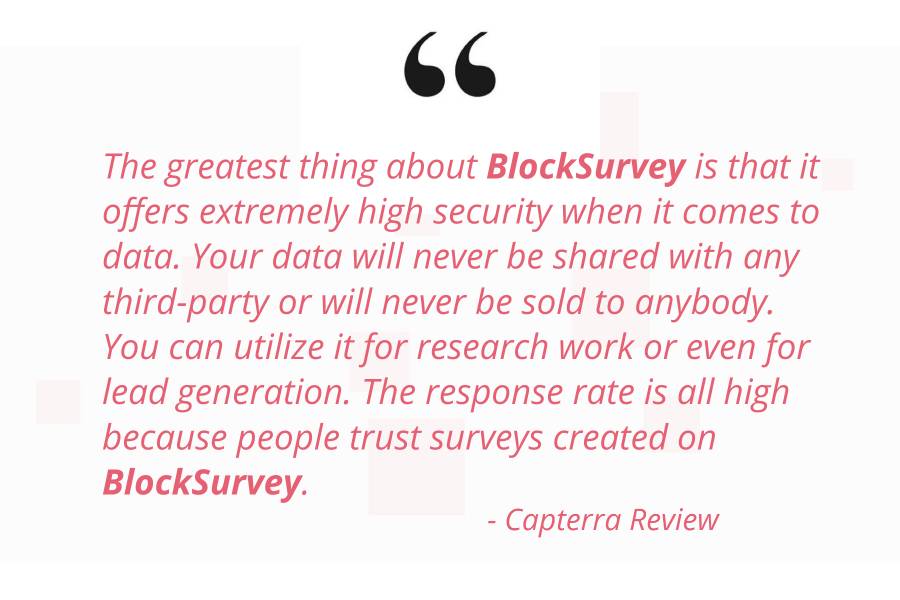
With BlockSurvey you can genuinely create an anonymous survey. Unlike other survey platforms, BlockSurvey doesn't store or use any of your data for marketing. Most online survey tools store the data of their users without encryption and use it for targeted marketing purposes.
Every BlockSurvey account is protected by end-to-end encryption. You hold the only key to your responses, not BlockSurvey, not a support agent, not a data broker. Nobody but you can decrypt what your respondents tell you. BlockSurvey strongly believes 'You own your data, it's your digital fundamental right.' This keeps both the creator and the responder anonymous.
High response rates:
So far, BlockSurvey users have reported a higher response rate than with their previous survey tools. They point to the data privacy feature, which removes the fear of data security among the respondents and keeps their anonymity intact. That in turn helps them give honest responses and raises the survey completion rate.
Encrypted Storage:
All the data you collect is encrypted before it is ever stored, and only your keys can unlock it. Even BlockSurvey's own servers can't read your responses. You get real ownership of your account, identity, and data.
In Short: BlockSurvey leads on new survey features, easy customization, and secure data privacy. It is also worth trying how the BlockSurvey AI helps you figure out the best questions for your survey. When you get this many features in the basic plan itself, why not give it a try?
BlockSurvey: pros and cons
- Pros: end-to-end encryption so no one but you can read responses; conversational, modern form design; AI-assisted question creation; skip logic and a custom domain included.
- Cons: a newer platform than SurveyMonkey, so its integration list and template library are still smaller; check /pricing for current plan and response limits since these evolve as the product grows.
BlockSurvey, best for: privacy-first teams, HR and compliance-sensitive surveys, and anyone who wants respondents to feel confident their answers can't be read, mined, or sold.
SurveyMonkey alternative#2: Zoho Survey
Zoho Survey is one of the decent alternatives available for SurveyMonkey. It is intuitive to use, and many users like its customization options and pricing policies. Zoho Survey keeps things simple and user-friendly, which attracts many of its users.
Why Zoho Survey?
Customization is one of the best-loved features of Zoho Survey, along with pre-built templates and 100 question types. It has more features than SurveyMonkey and even Google Forms. It integrates well with other apps like Hubspot, Marketo, etc. Zoho Survey is easy to set up and works with your website.
Where does Zoho Survey fail to impress you?
Though it is easy to set up and user-friendly, the logic feature is basic compared to the rest of the alternatives in the category. Some of its users found the survey interface a bit boring and dull, so it may affect your survey completion rate to some extent. Best for: teams that want to run a simple survey without a steep learning curve.
SurveyMonkey alternative 3: Qualtrics
Qualtrics is used more as a research tool than a survey platform, so it fits best for education or other academic purposes. This survey tool has some good pre-built survey templates and 100 question types that attract respondents.
Why Qualtrics?
One of the more useful features of Qualtrics is its Expert Review. Using this AI-powered feature, the tool analyzes all of your questions in real-time. Based on that, you get personalized recommendations to improve your response rates.
Where does Qualtrics fail to impress you?
The main setback with this tool is that you can integrate with only a limited number of apps. There is also a chance of losing data because it doesn't have an 'Auto save' option. Best for: academic and research teams that need AI-powered question review over broad third-party integrations.
SurveyMonkey alternative 4: Alchemer
SurveyGizmo, now renamed to Alchemer, is one of the decent alternatives to SurveyMonkey with simple, user-friendly, flexible features.
Why Alchemer?
Easy to integrate with Salesforce, Google Sheets, Webhooks, and more. It has recently introduced many new features that are currently available with the other competitors in the market. It also has a free plan that allows you to run up to 3 surveys at once, collect 100 responses for each survey, and ask unlimited questions.
Where does Alchemer fail to impress you?
The pricing of Alchemer seems a little expensive for the features it gives in a particular package. Poor customer support is also cited as one of the reasons for switching away from it, according to user reviews. Best for: teams that specifically need Salesforce or webhook-driven integrations and can absorb the higher price.
SurveyMonkey alternative 5: forms.app
forms.app is a versatile survey creation tool that lets you make Csat surveys, feedback surveys, marketing surveys, and more. It offers over 35 field types to cover your question needs.
Why forms.app?
forms.app is a practical alternative to SurveyMonkey. It has an easy-to-use interface and a modern design. The platform offers advanced features such as conditional logic, direct integrations, and customization options. Compared to SurveyMonkey, forms.app has more affordable prices and generous quotas. It is a good choice, particularly from startups to large-sized businesses.
Where does forms.app fail to impress you?
Although forms.app offers almost all advanced features in the free plan, it has only 5 form creation quota, which is enough for most cases but becomes insufficient for complex uses. Best for: startups to large businesses that want generous free-plan quotas on most advanced features.
Ready to switch from SurveyMonkey?
See the full breakdown in our SurveyMonkey vs BlockSurvey comparison, or migrate from SurveyMonkey in a few clicks. Check current BlockSurvey pricing and plans before you move.
Conclusion
You now have an updated (2026) overview of the top 5 alternatives available, with the details of their features. BlockSurvey is one of the most secure survey platforms available, encrypting every response end-to-end so even we can't read it. It is simple, easy to integrate, and has features your respondents will appreciate. Start your free trial now.
Related: See the best SurveyMonkey alternatives.
5 Reasons to Switch from SurveyMonkey (Privacy-First 2026) FAQ
Are these SurveyMonkey alternatives user-friendly?
Can I trust the data collected from these SurveyMonkey competitors?
Are these SurveyMonkey alternatives affordable?
Do these SurveyMonkey competitors offer advanced survey features?
Get insights.
Unlock value.
- 14-day free trial
- Set up in minutes
- End-to-end encrypted