


.svg)



The first few questions in a survey usually get thoughtful answers. The last ones get rushed clicks. Question Randomization shuffles the order for every respondent, so no single question always lands in the high-attention first slot or the fatigued final slot.
That changes both sides. Respondents see less repetition and stay attentive, which gives you more honest answers. Your data comes out more balanced, without the hidden patterns a fixed question order bakes in. It works the same whether you're running customer feedback, academic research, or employee surveys.
Here's what the feature does.
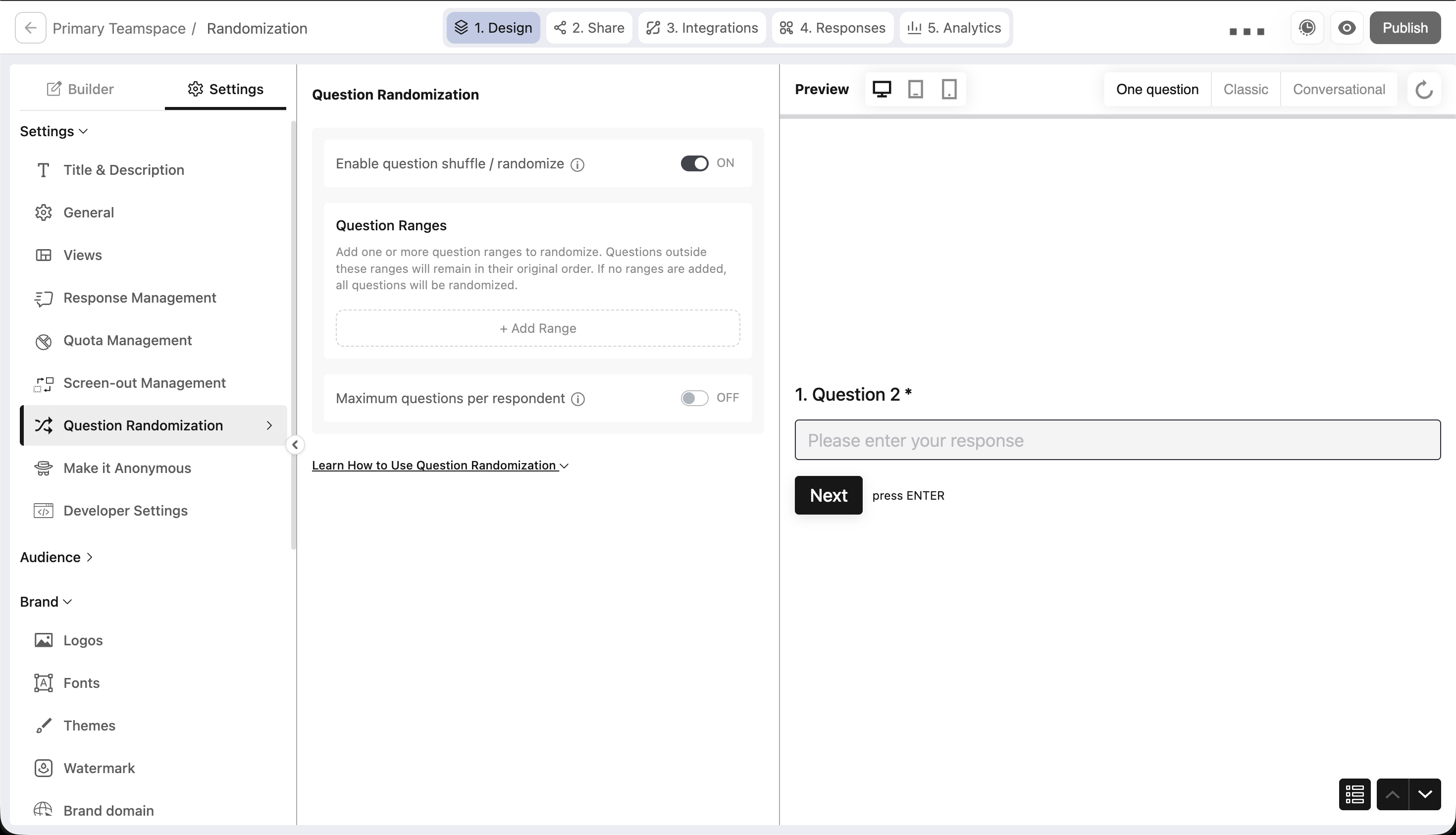
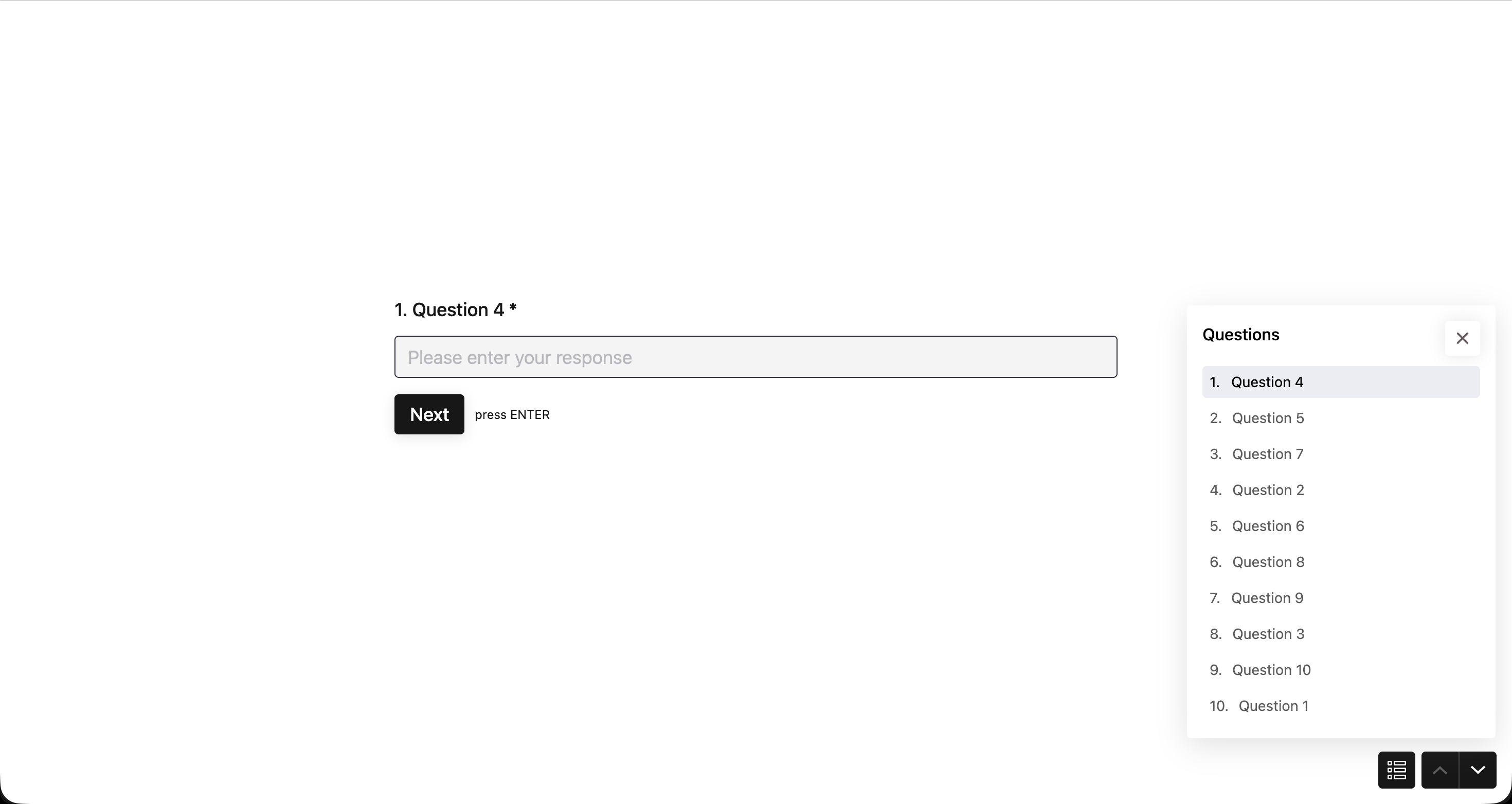
Randomize entire question set
The simplest option. Toggle on Enable question shuffle/randomize and every question in your survey gets shuffled into a random order for each respondent. There are no ranges to set and nothing else to configure.
Randomize questions within a specified range
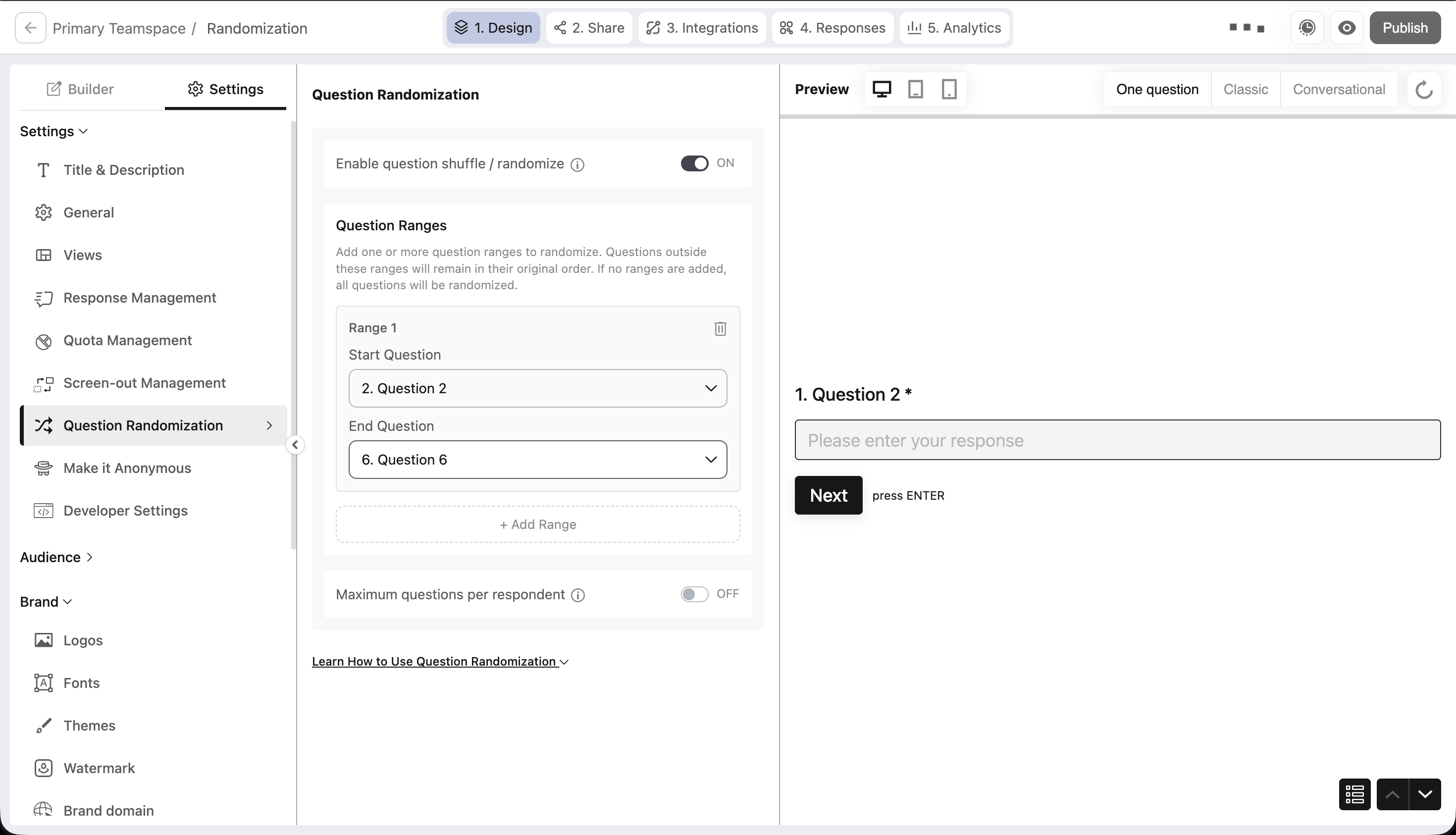
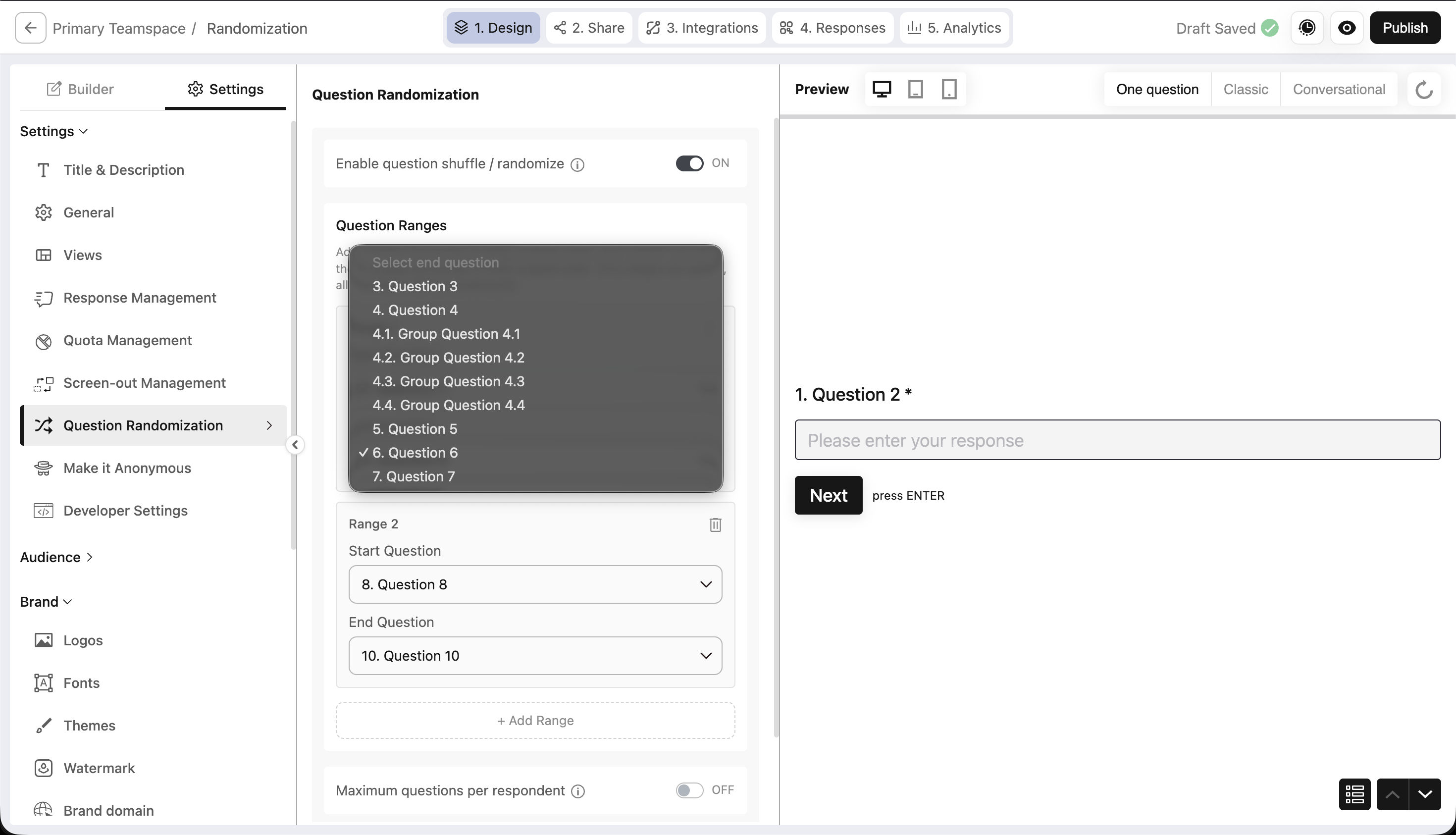
To keep your intro and closing questions fixed while shuffling the middle, use a range. Only the questions inside the range get shuffled. Anything before the start or after the end stays where you placed it.
Randomize questions within multiple ranges
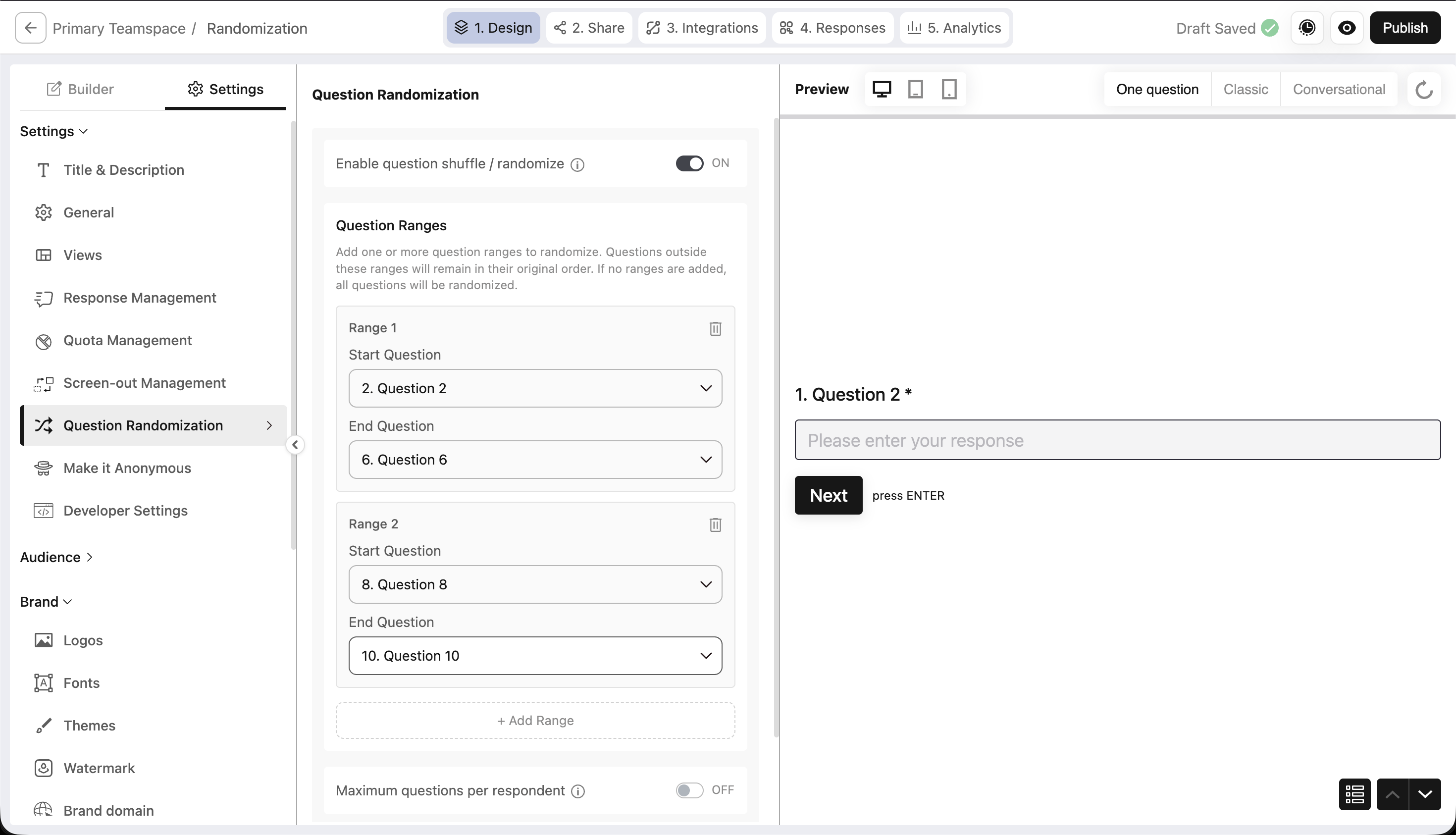
To shuffle different sections independently, add more ranges. Questions in Range 1 shuffle among themselves, questions in Range 2 shuffle among themselves, and the two never mix.
Randomization with group questions
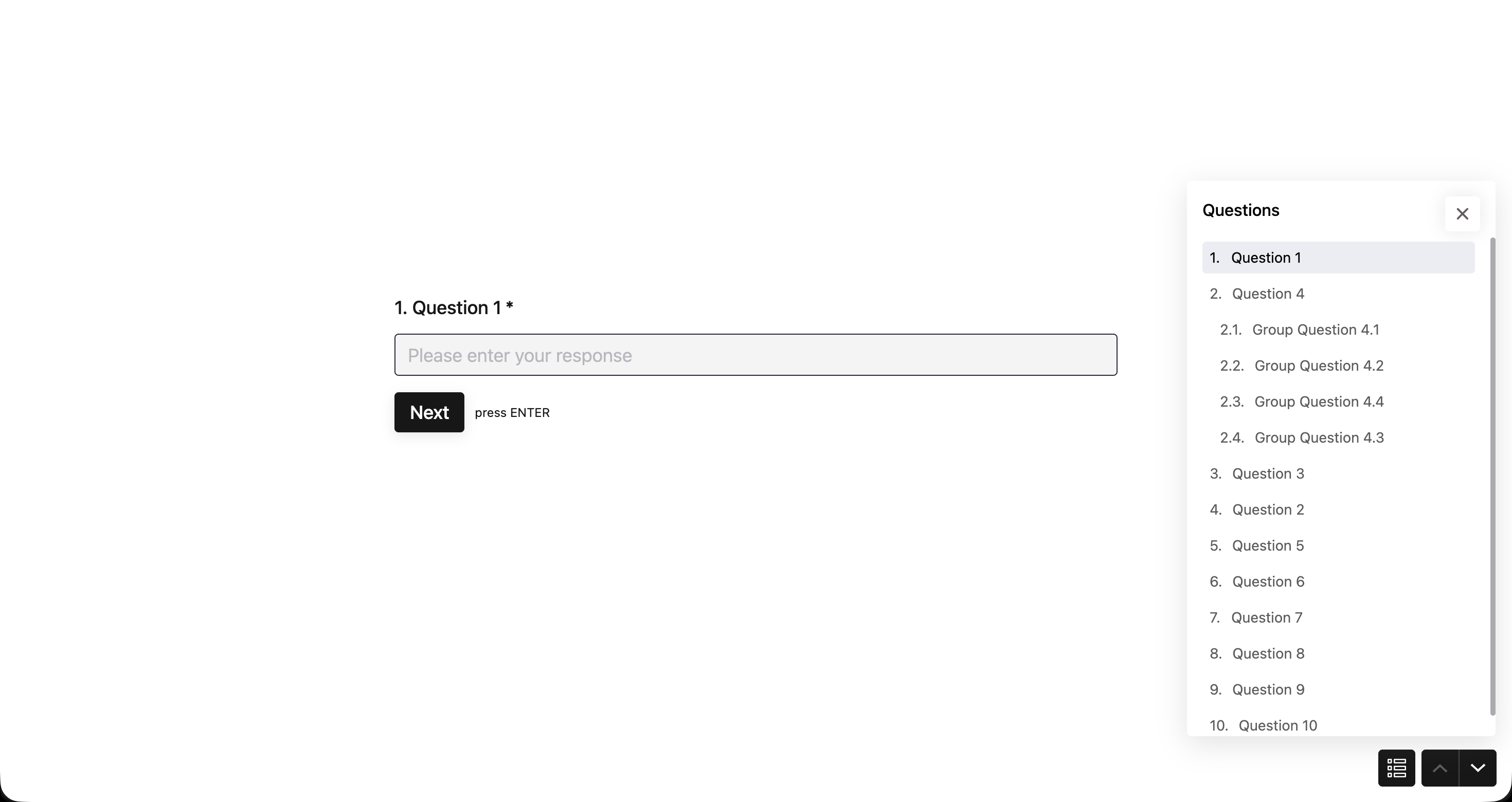
BlockSurvey lets you nest sub-questions under a parent. These are called group questions: Question 4 might hold sub-questions 4.1 through 4.4. When a group falls inside a randomized range, the whole group moves as one unit. The sub-questions stay in their original order right after the parent, and never scatter across the survey.
Sampling with randomization
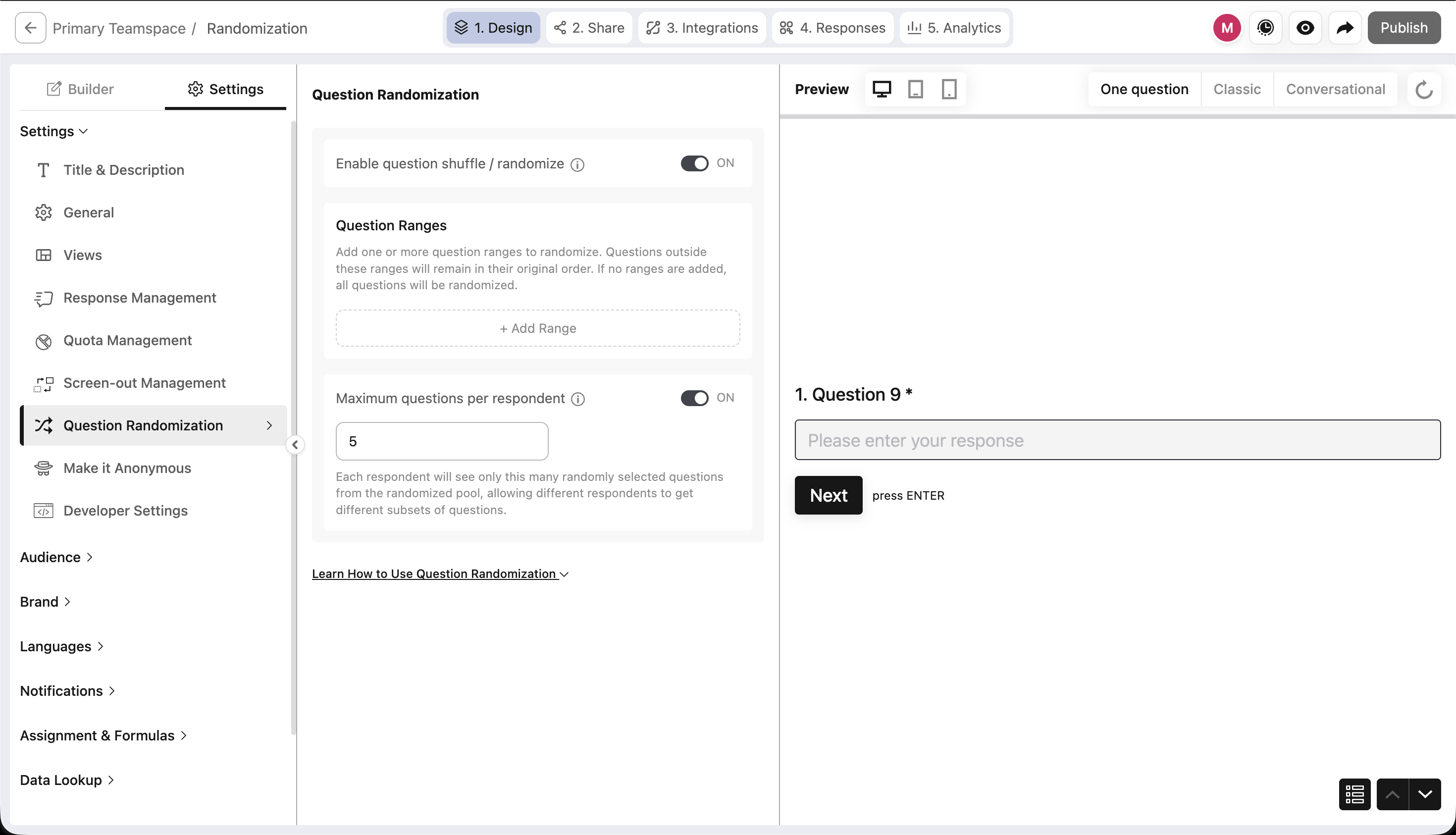
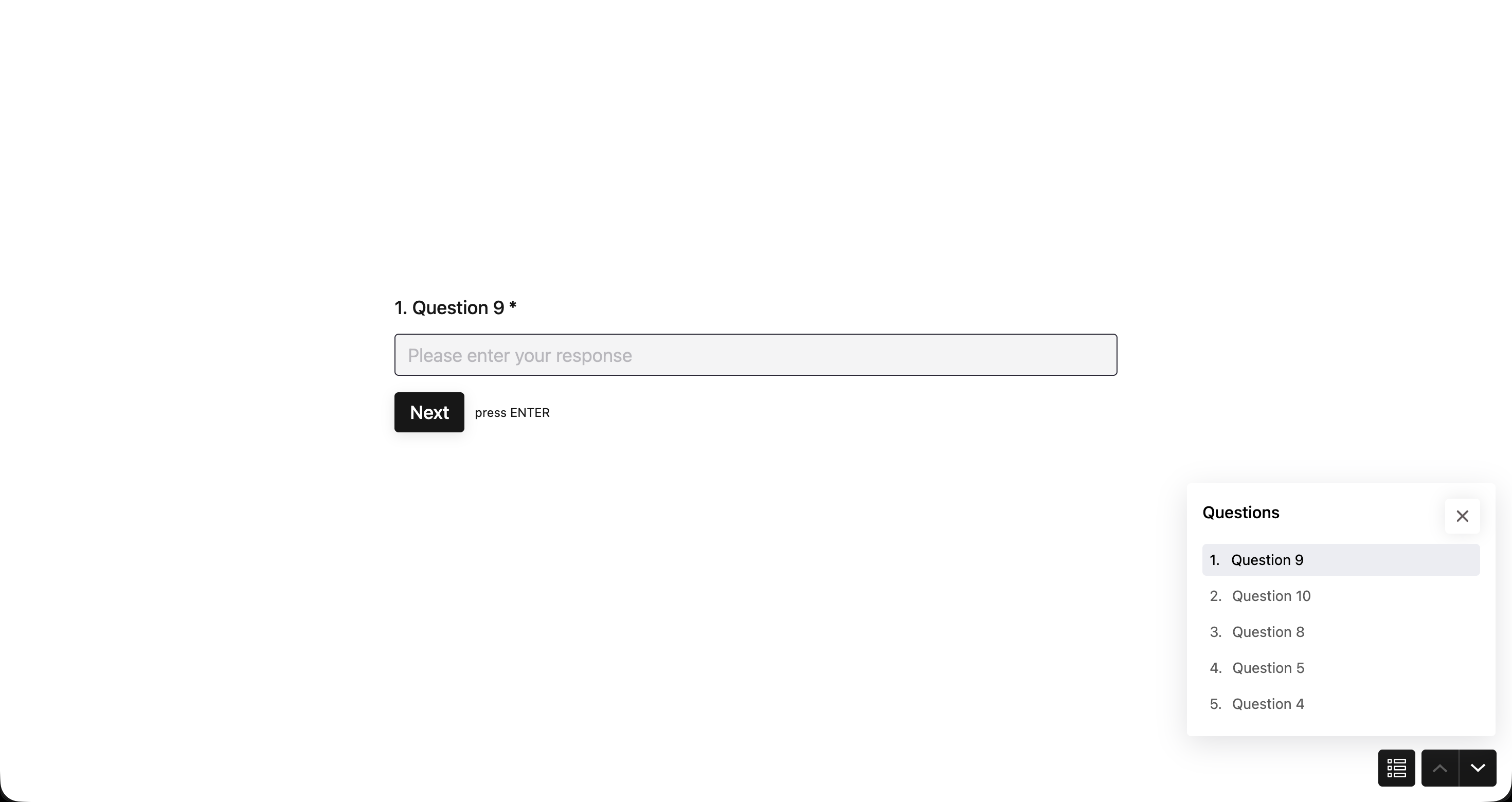
If you have a large question bank, you may not want every respondent answering all of it. Set Maximum questions per respondent, and the system randomly picks that many questions, shuffles them, and shows only those. The rest stay hidden from that person.
Each respondent gets a different subset, so across many respondents you still collect data on every question without making anyone answer the whole bank. That keeps each survey short, which matters because long surveys get abandoned or clicked through carelessly. Each respondent covers a small part, and together they cover everything.
Question Randomization Across Survey Tools
The table below compares how BlockSurvey, Qualtrics, SurveyMonkey, and Google Forms handle question order randomization, based on each tool's own documentation.
| Tool | Full-survey randomization | Range or block randomization | Answer-option shuffling | Tracks randomized order in export |
|---|---|---|---|---|
| BlockSurvey | Yes. One toggle shuffles every question per respondent. | Yes. Range-based shuffling, with multiple independent ranges, and grouped questions move as a single unit. | Not documented on the feature page | Not documented on the feature page |
| Qualtrics | Yes, via the Survey Flow Randomizer. | Yes. Questions randomize on a block basis. | Yes, through Choice Randomization. | Yes. Enabling Export Randomized Viewing Order adds a display-order column to the data file. |
| SurveyMonkey | Limited. Question randomization runs per page, not across the whole survey. | Yes. Questions can be randomized within a page. | Yes, via Sort, Randomize, or Flip Choices. | Not documented |
| Google Forms | Yes. Shuffle question order randomizes all questions in the form. | No. There is no option to shuffle only within a section. | Yes, via Shuffle option order. | No |
How BlockSurvey handles ranges and groups
BlockSurvey lets you randomize the full survey with a single toggle, or set one or more ranges so only the questions inside each range shuffle. Questions before the start or after the end of a range stay in place, and separate ranges shuffle independently without mixing. When a grouped question (a parent with nested sub-questions) sits inside a range, the whole group moves as one unit and the sub-questions keep their original order under the parent. You can also cap the maximum questions per respondent, so the system picks and shuffles a random subset.
Conclusion
A fixed question order is predictable, and that predictability introduces bias, fatigue, and drop-off. Randomization removes it. You can shuffle the whole set, target specific ranges, keep groups intact, and sample from a large bank, which gives every respondent a survey suited to them and gives you cleaner, more balanced data. It's useful whether you want unbiased research results, varied assessments, or honest customer feedback.
Explore related BlockSurvey features: skip logic, ranking questions, repeating questions, and constant sum.
Question Randomization & Shuffle: Block Randomization for Unbiased Surveys FAQ
How to avoid question order bias?
Does the order of questions in a survey matter?
How do I shuffle questions in an online survey?
What is block randomization in survey design?
Can I randomize only part of a survey instead of the whole thing?
Can grouped questions be randomized without breaking their order?
Get insights.
Unlock value.
- 14-day free trial
- Set up in minutes
- End-to-end encrypted