


.svg)



What You'll Learn
By the end of this lesson, you'll be able to:
- Understand why integration matters for surveys.
- Learn about Embed & Widget in Surveys.
- Use Webhook to transfer data between applications.
1. Why is Integration important?
Integration lets you collect and analyze survey data across the platforms and systems you already use. When a survey connects to those systems, data from different sources can be combined and read together, which gives you a fuller picture of what respondents think. That makes it easier to act on results quickly and accurately.
Connecting surveys to tools like a CRM or a marketing automation platform lets you use survey data to shape targeted campaigns, improve customer experience, and support growth. You also get more context behind your decisions and less manual copying between apps. If you're exploring automation options beyond the usual choices, consider looking into Zapier competitors that offer similar integration capabilities tailored to your specific tools or budget.
BlockSurvey lets you connect your surveys and forms with other platforms or applications. There are three ways to do it.
- Embed
- Widget
- Webhooks
2. Embed
BlockSurvey supports embedding surveys and forms directly on websites.
Visitors can complete the survey without leaving your site.
To embed surveys, go to survey Builder→Integrate→Embed.
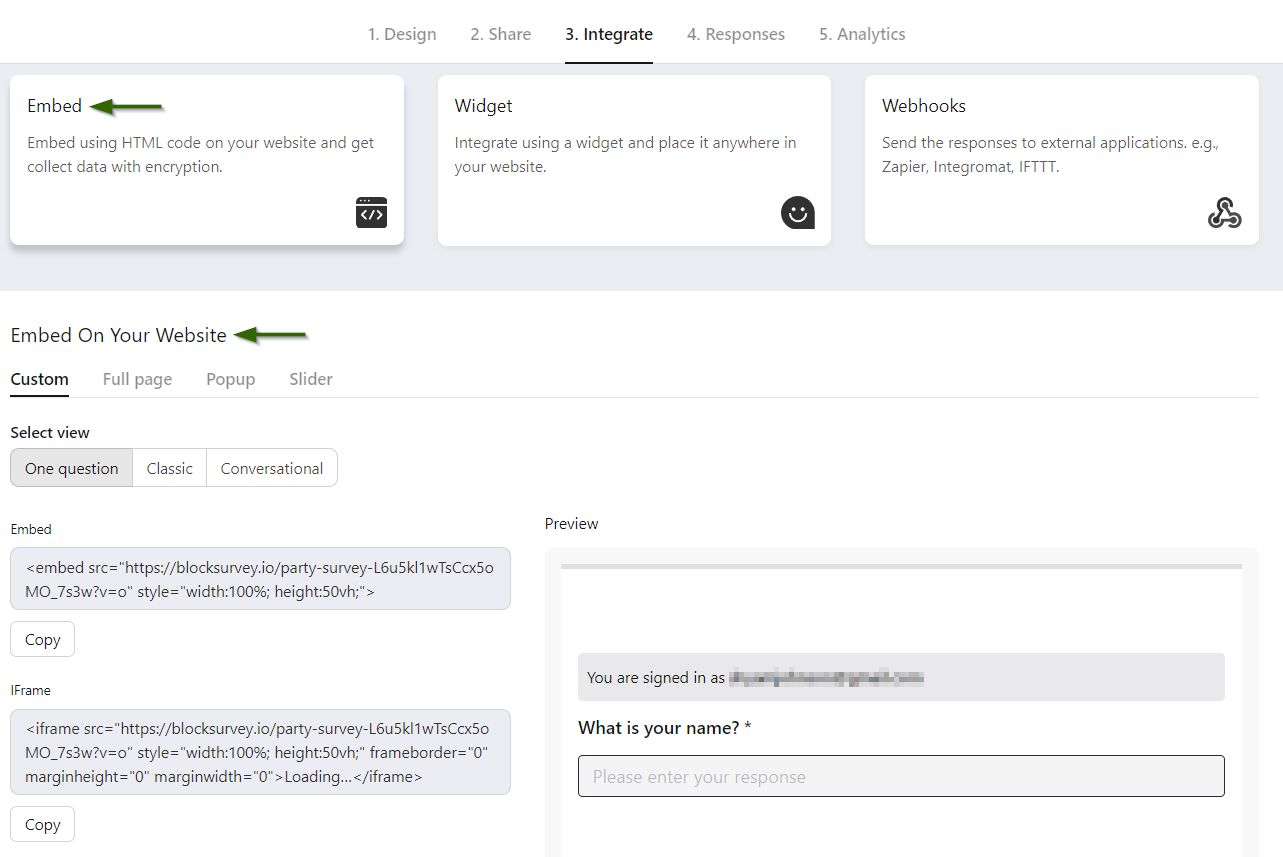
You can customize the embed in the ways described below.
2.1. View
Embed supports these views.
-
One question at a time
One question is presented at a time.
-
Classic
All questions are presented on a single screen.
-
Conversational
This is more like a chatbot conversation.
2.2. Method
You can include a survey on a page in two ways.
-
Embed
Adds specific elements to the website.
-
Inline Frame (Iframe)
Loads the full HTML document inside a website.
2.3. Measure
Set the width and height of the embed using any of these units.
- Percentage (%)
- Pixels (px)
- Viewport height (vh)
2.4. Type
The embed can appear in the following ways.
- Full page
- Pop-up
- Slider
BlockSurvey lets you preview the embed before you publish it. Once it looks right, copy the generated code and paste it into your website.
3. Widget
A widget sits anywhere on your website and collects feedback from visitors.
It encourages interaction and helps you gather feedback while people are still on the page.
To access the widget, go to Survey Builder→Integrate→Widget.
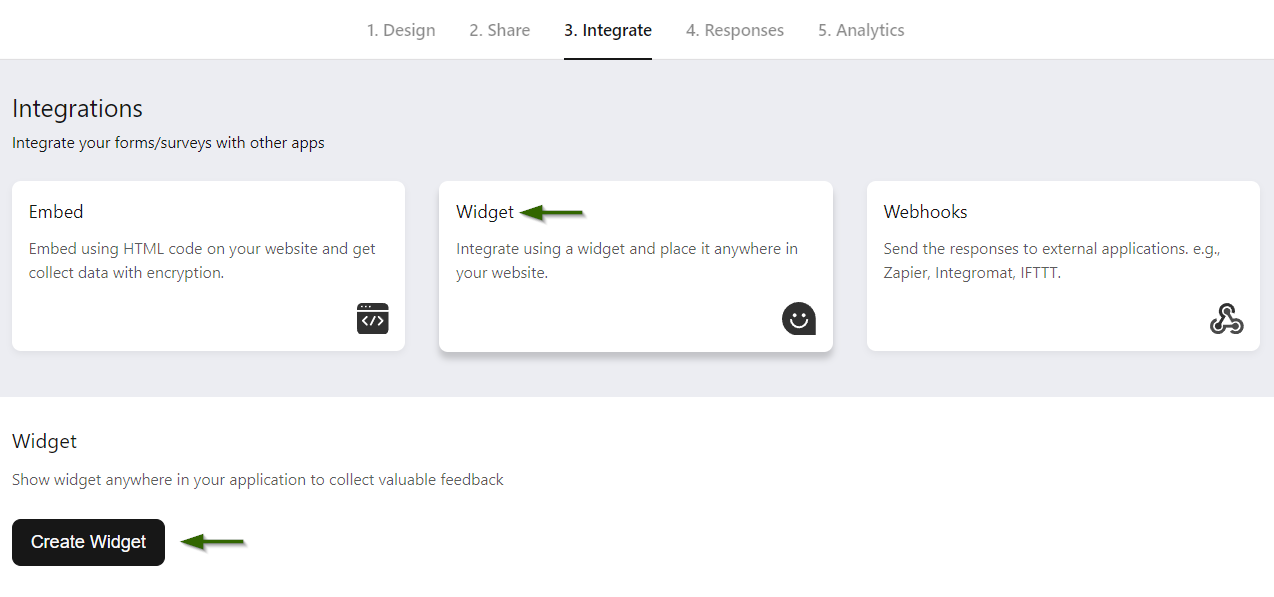
You can customize the widget in the ways described below.
3.1. Mode
The widget supports three modes.
- Conversational
- Classic
- Popup card
3.2. Shape
Choose one of three shapes for the widget.
- Chat
- Circle
- Square
3.3. Position
Place the widget in any of these positions:
- Bottom Right or Bottom Left
- Middle Right or Middle Left
- Top Right or Top Left
3.4. Variables
The following hidden variables can be set in the URL.
- ref | source | medium | result | responseID
3.5. Trigger
A widget usually opens when someone clicks it. You can also set it to open automatically under certain conditions. There are three triggers.
- Trigger when URL matches
- Trigger when the user scrolls a certain %
- Trigger after a set number of seconds
Like the embed, the widget has a preview and generates code. Copy that code and add it to your webpage.
4. Webhooks
Webhooks send data between applications the moment something happens.
They push survey submissions straight into your CRM and messaging tools in real time.
To access Webhooks, go to Survey Builder→Integrate→Webhooks.
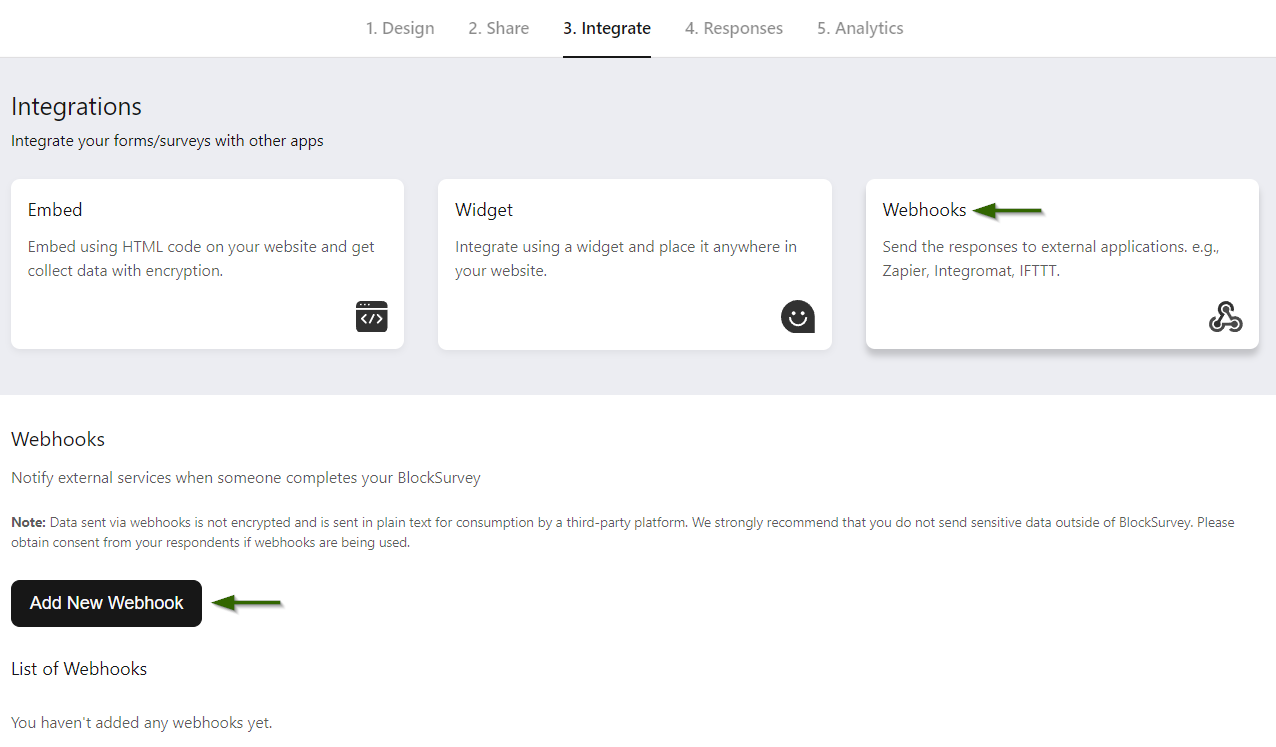
4.1. More on Webhook
Webhooks are an efficient and convenient way to handle real-time events.
A webhook is an application that provides information in real time to other applications.
Webhooks go by a few other names. A few are listed below.
- Reverse API
- Web Callback
- HTTP push API.
With traditional APIs, the consumer keeps asking the API for new data. This process is known as Pulling.
With a webhook, the provider sends you the data when an event occurs instead of the consumer pulling it. This is why webhooks are called Reverse APIs.
That makes the transfer efficient for both the data provider and the data consumer.
4.2. How to set up Webhook?
Below are the steps involved in setting up a Webhook.
- First, open your form/survey and go to the Integrate tab.
- Select Webhooks and click Add New Webhook.
- Add a Name and Webhook URL.
- Send a test request to see if the service receives it. If everything looks good, save it.
- Finally, turn ON the status.
- From now on, any new form submission will send a copy of the data to the Webhook URL.
4.3. Integration with Other Applications
Middleware tools such as Zapier, Make, & IFTTT support "webhooks."
They help you receive data, transform it, and send it to another application.
The guides below explain how to connect BlockSurvey with other applications.
4.4. Cautionary Statement
Data sent through webhooks is not encrypted. It leaves BlockSurvey as plain text for a third-party platform to read, so we strongly recommend that you do not send sensitive data outside of BlockSurvey.
Please get consent from your respondents if you use webhooks.
Test Your Knowledge
Key Takeaways
- Embed surveys directly on Websites.
- Place the survey widget anywhere on a Website.
- Transfer data between applications with Webhook.
Congratulations! You have completed this lesson.
How to Create an Integrated Survey? FAQ
What is Embed integration?
What is Widget integration?
What are the benefits of survey integration with Embed and Widgets?
What is Webhook integration?
How does survey integration with Webhooks work?
Get insights.
Unlock value.
- 14-day free trial
- Set up in minutes
- End-to-end encrypted