Get insights.
Unlock value.
- 14-day free trial
- Set up in minutes
- End-to-end encrypted
Report Sharing with Integrated Lead Capture

Sharing a report can do more than pass along information. It can also collect contact details from the people who read it. Lead capture is the process of gathering and storing information about potential customers, usually called leads. BlockSurvey builds lead capture directly into report sharing, so the two happen at once.
Combining insight sharing with lead capture
Say you have built a detailed industry report full of useful data and practical strategies, and you are ready to share it with your audience. With lead capture in place, each download also becomes a chance to connect with a potential customer instead of just handing over a file.
How it works
After you finish collecting data, BlockSurvey generates reports that give your audience real value. When you share one of these reports, lead capture is built into the process. To turn it on, the survey creator enables the Email Gating feature while creating the report.
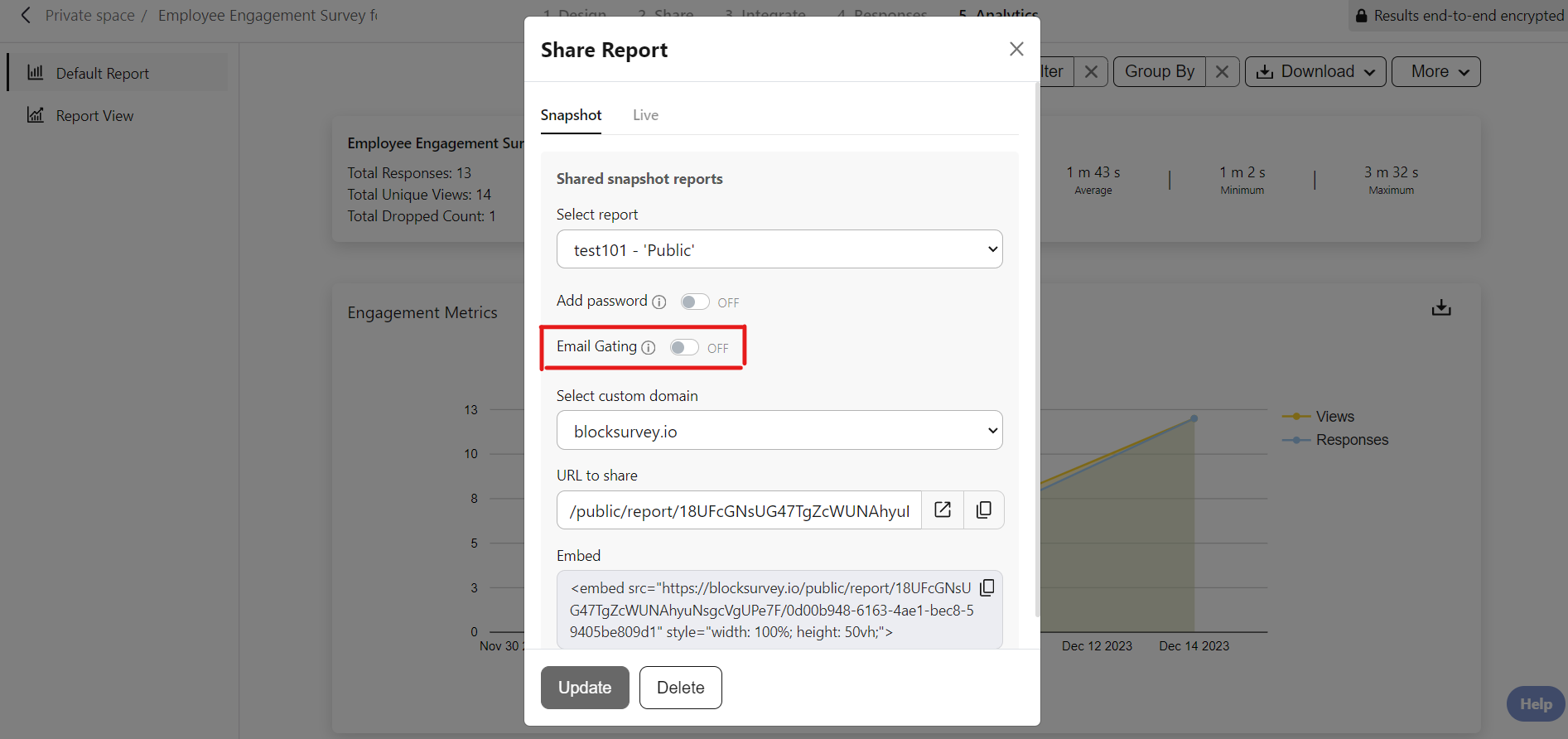
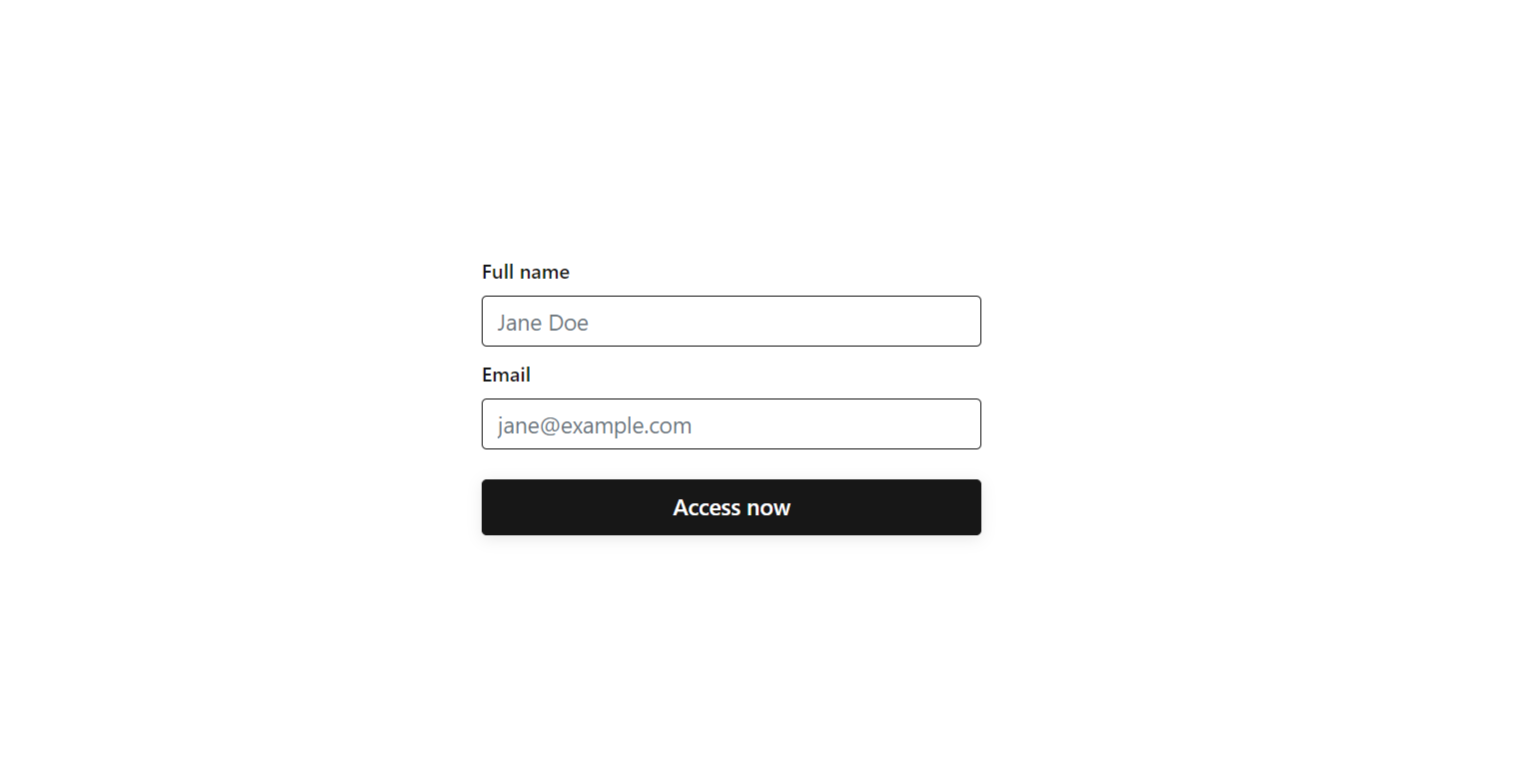
Before readers can open the report, they are asked for their contact information, namely their name and email. Every download then becomes a lead capture opportunity. BlockSurvey also checks that the emails entered are valid and will not bounce.
Integrated lead capture provides analytics to monitor leads captured through the sharing of reports.
Readers get useful insights, and you get their contact details, which lets you nurture these leads and move them through the sales funnel.
Benefits of integrated lead capture
- Quality Leads: You attract leads who are genuinely interested in what you offer. These leads are more likely to engage with your brand and become customers.
- Personalized Communication: Because you know what your leads care about, you can shape your messages around their specific needs. That kind of personalization improves engagement and builds trust.
- Streamlined Nurturing: When lead capture is part of report sharing, nurturing leads follows naturally. You can follow up with targeted campaigns, educational content, and offers that guide leads toward a purchase.
Conclusion
At BlockSurvey, every interaction is a chance to strengthen your relationship with your audience. By adding lead capture to report sharing, you share useful insights and set up the contacts you need for longer-term engagement and growth. To get started with integrated lead capture, share your reports as usual. Each download brings you a step closer to your next customer.
Explore related BlockSurvey features: email verification, gated forms & surveys, and cross-tab analysis.
Report Sharing with Integrated Lead Capture FAQ
What is an example of gated content?
What is a gated lead?
How to generate survey leads?
How to create a lead capture form?
Is a gated survey report secure and compliant?
Can I track the leads captured through a gated report?
How do I turn on Email Gating for a report?
Get insights.
Unlock value.
- 14-day free trial
- Set up in minutes
- End-to-end encrypted
Wilson Bright
Wilson Bright is the co-founder of BlockSurvey, an AI-native, privacy-first survey platform designed to help Institutional Researchers uncover deeper, more actionable insights. He believes the future of Institutional Research lies in combining ethical data collection with intelligent automation to make evidence-based decisions faster, fairer, and more transparent.